Where do Grok Bot's plugins come from?
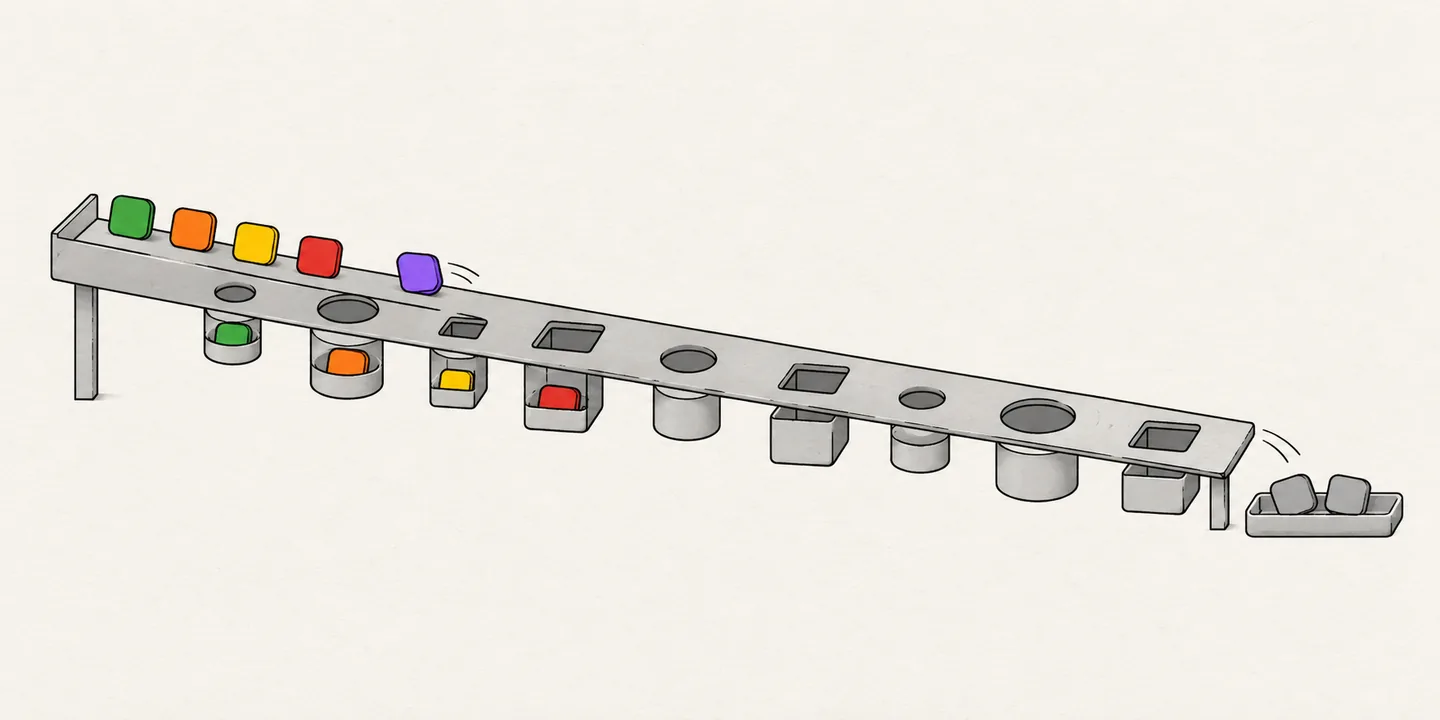
Grok Bot is SpaceXAI's (formerly xAI) desktop and phone app for AI agents, called Bots, that work in your apps and websites. It runs on Cursor accounts, and both docs.x.ai and cursor.com document it. Its plugins come from the Cursor Marketplace. On Oct 25, 2026, 100% of Grok Bot's plugins, leaving out its built-in apps, were Cursor Marketplace plugins with the same id and the same store date (the launch date the Cursor Marketplace gives a plugin). 99.6% of Cursor Marketplace plugins were in Grok Bot. No SpaceXAI or Cursor page we have found says this in so many words; the listings show it. The closest first-party line is in Cursor's Grok Bot team docs: Grok Bot inherits a team's Cursor connector policy, and "there is no separate Grok Bot connector list."
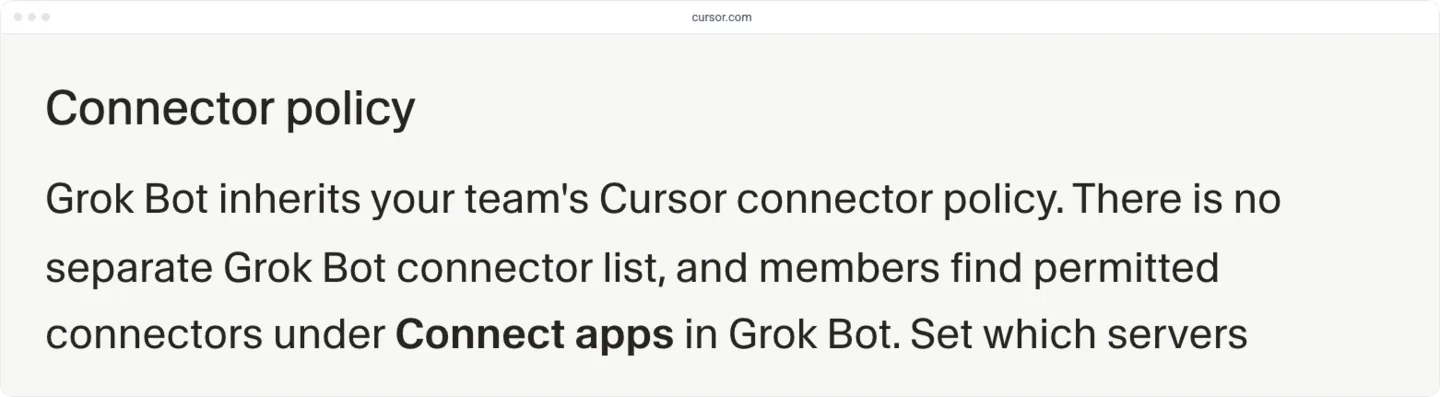
Grok Bot runs on macOS, Windows, Linux and phones (SpaceXAI's getting-started guide). People add plugins from Connect apps in the app's sidebar, then sign in to each service (Cursor's Connect apps help). Cursor staff and some guides call Connect apps Plugins.
Searches for a Grok or Grok Bot plugin marketplace turn up five different things, and only the first, Connect apps, lists plugins a Bot can use:
| Name | What it lists | Where it lives | How you get in |
|---|---|---|---|
| Connect apps | Plugins and connectors a Bot can use | The Grok Bot app's sidebar | A Cursor Marketplace listing, through Cursor's form or SpaceXAI's plugin form |
| Grok Bot Marketplace (web) | Bot templates people publish | x.ai/bot/marketplace | Publish a Bot as a template outside your team, where the team allows it (SpaceXAI's team docs) |
| Grok Build plugin marketplace | Plugins for the Grok Build terminal tool | The grok command line | A pull request to github.com/xai-org/plugin-marketplace (the Grok Build marketplace announcement, Jun 11, 2026) |
| Grok connectors | Connectors in the Grok chat app | grok.com/connectors | Add your MCP server as a custom connector (SpaceXAI's connector docs); SpaceXAI's plugin form lists Grok as coming soon |
| cursor.directory | Community-submitted Cursor plugins, rules and MCP servers | cursor.directory | Its own submission and review (Cursor staff on cursor.directory); in our data, no Grok Bot plugin comes from it |
The marketplace names overlap. In the app, Cursor staff also call the browser that holds Plugins and Bots the Grok Bot marketplace (thread on sorting), and SpaceXAI's plugin form sits under the x.ai/bot/marketplace address. The form is for plugins and MCP servers, not Bot templates.
How do you submit a plugin for Grok Bot?
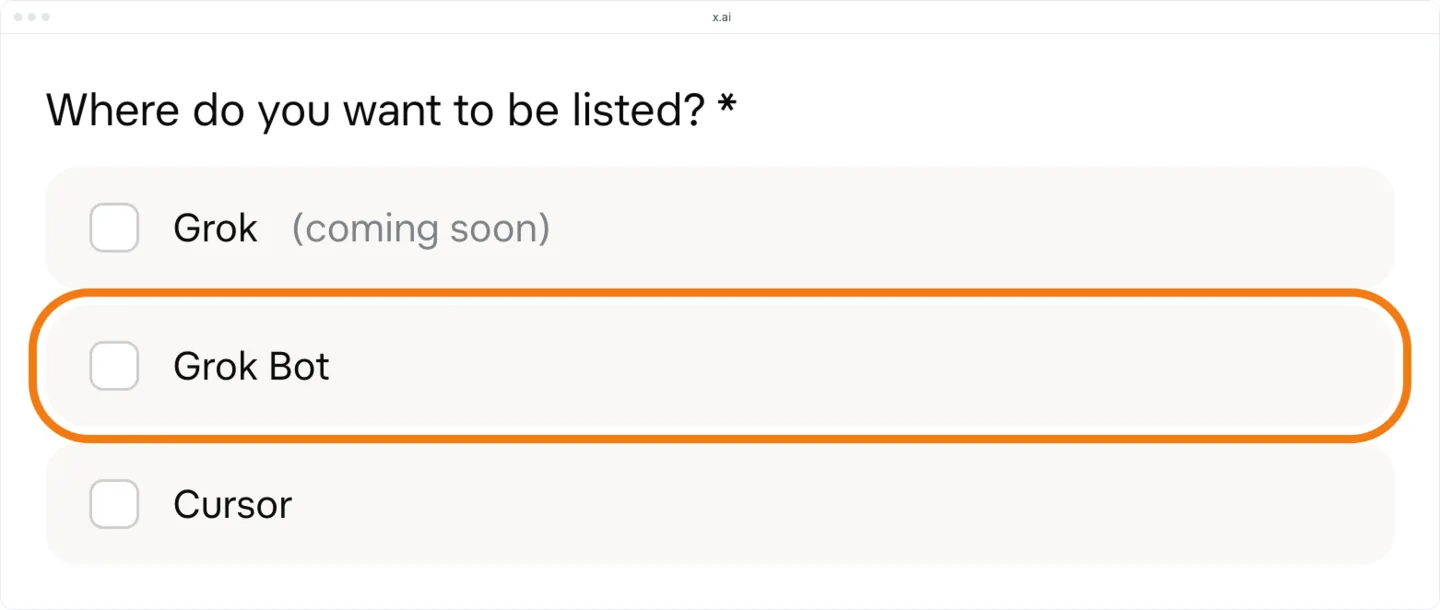
You submit a plugin for Grok Bot through Cursor's form or SpaceXAI's, and either one binds you to Cursor's Marketplace Publisher Terms. Cursor's form is at cursor.com/marketplace/publish. SpaceXAI's plugin form asks where you want to be listed.
Cursor says it lists plugins from a small group of trusted partners for now (Cursor's marketplace security page). Its publisher terms say it checks each publisher's identity and business, and that it gives no reasons when it accepts or rejects a plugin.
| Cursor's form | SpaceXAI's form | |
|---|---|---|
| Account | A signed-in Cursor account | A work email and an organization name and handle |
| What you send | A public Git repository with a root plugin.json (Agent Plugins) or a .cursor-plugin/ manifest, checked against Cursor's submission checklist | An MCP server URL or a public GitHub repository, a hosted 1:1 logo URL, a brief description and testing instructions |
| Where it lists you | The Cursor Marketplace | Your choice of Grok (coming soon), Grok Bot and Cursor |
| Terms | Cursor's Marketplace Publisher Terms | The same terms, linked beside the Submit Plugin button |
| Review | Manual review of every plugin and every update | The form says SpaceXAI will review it for the marketplace; it gives no timing |
Have these ready before either form:
- A Cursor account. Cursor's form works only when you are signed in.
- An account that runs Grok Bot, to test in: a paid individual Cursor plan or the Cursor Teams plan, a SuperGrok subscription linked to your Cursor account, or a seat on a self-serve Grok Business plan (SpaceXAI's getting-started guide). Grok Bot needs cloud data storage, so an account on Cursor's Legacy Privacy Mode has to change that setting first.
- A public plugin repository or MCP server. Cursor's form takes a repository with its manifest, even when the plugin only points at a hosted remote MCP server. SpaceXAI's form takes a public GitHub repository or an MCP server URL. In our data, every Grok Bot plugin has a Git repository behind it.
- An open-source plugin under a permissive license. Cursor's plugin docs say all plugins must be open source. The publisher terms allow only permissive licenses such as MIT, BSD and Apache 2.0, rule out GPL, AGPL and LGPL, and require the plugin to be free to users.
- A square logo on a public URL. SpaceXAI's form asks for the URL of a 1:1 SVG or PNG with a background plate.
- Testing instructions. Write steps a reviewer can follow. SpaceXAI's form also asks you to confirm you tested the plugin locally and in the app.
Not every part of a plugin does something in Grok Bot:
| The plugin brings | In Grok Bot | Grok Bot plugins with it |
|---|---|---|
| A remote MCP server that signs in with OAuth | The user adds it and signs in. Cursor's backend keeps the token, and Bots call tools without receiving it (SpaceXAI's apps docs) | 403 (85%) list an MCP server, remote or started by a command |
| A remote MCP server that takes an API key | Listed. Cursor staff said in September that the GitHub plugin took its token under Setup Values (Edit Values) and showed Needs auth anyway (thread on the GitHub plugin's sign-in); that plugin has since been replaced | 16 (3%) ask for an API key or token |
| An MCP server the plugin starts with a command | Runs on the Bot's cloud computer, not on the user's machine (Cursor's Grok Bot security docs) | Counted in the 403 above |
| Skills | Picked by typing / in chat (SpaceXAI's apps docs) | 314 (66%) |
| Rules, hooks, commands or subagents | Not mentioned in Grok Bot's docs | 133 (28%) |
Some plugins start their MCP server with a command: Convex's plugin runs npx convex@latest mcp start. In Grok Bot that command runs on the Bot's cloud computer, not on the user's own machine, so the server can't reach the user's local files or anything on localhost. Make sure the command installs and runs on a clean machine with none of your local setup.
Grok Bot's docs mention only apps and skills. We have found no page that says rules, hooks, commands or subagents run in Grok Bot. 3 listed plugins carry nothing else: Merge, Zenity and Langfuse's tracing plugin.
OAuth matters for a remote server that needs sign-in. We have found no rule that requires it for a command server, a skills-only plugin or a remote server with no sign-in. If your server signs in with OAuth, check the points below first. They come from Cursor staff answers in the thread on custom MCP sign-in and from Cursor's published OAuth client document, not from Cursor's docs:
- Support automatic client registration. Grok Bot registers through Dynamic Client Registration, or names itself with the client ID
https://, which is a client metadata document.cursor.com/ oauth/ mcp-client.json - Allow every redirect URI Cursor lists. Cursor's OAuth client document lists five on Oct 25, 2026, among them the web callback
/onbot/ mcp/ oauth/ callback https://andwww.cursor.com http://. For Dynamic Client Registration, also allow127.0.0.1:8787/ callback cursor://, which staff list among the URIs the registration sends.anysphere.cursor-mcp/ oauth/ callback - Expect a failure if your server accepts only https or loopback redirect URIs. Registration then fails before the sign-in page opens, because it includes the
cursor://URI. Cursor staff said on Sep 25 that this is on Cursor's side and that they are tracking it. On Cloudflare Access, staff confirmed on Oct 19 that adding thecursor://URI to the application's allowed URIs through the Access Applications API fixes it.
A plugin can take an API key instead. Cursor's plugin reference lets it declare the key in variables and send it in a header such as Bearer ${API_TOKEN}. Team admins set the value on Cursor's dashboard under Plugins. On Oct 25, 2026, 16 Grok Bot plugins (3%) asked for an API key or token this way, Datadog among them.
Where a Grok Bot user enters that key is less clear. On Sep 8, Cursor staff said the GitHub plugin took a personal access token under Setup Values (Edit Values) on the plugin's page, and on Sep 11 that its Needs auth badge and Authenticate button didn't apply to that plugin (thread on the GitHub plugin's sign-in). On Sep 28, staff said a built-in GitHub connector had replaced that plugin and there was no token to enter anymore (thread on the GitHub plugin). We have not found Setup Values documented, or confirmed for another plugin. So after you enter a key, run one tool call: the badge may not tell you whether the key works. On Sep 17, Cursor staff said custom connectors a Bot adds in chat signed in only by OAuth, with no safe way to set a header (thread on custom MCP sign-in). For a Team Bot, SpaceXAI's Team Bots docs list a Remote HTTPS custom server that can use the Bot's own credential, and say to choose Remote HTTPS for a custom server that needs secrets (step 2).
Then, in order:
- Test the plugin in Cursor. Run it from
~/and go through the submission checklist in Cursor's plugin reference. How to publish a Cursor plugin to the marketplace covers the manifest and the local test..cursor/ plugins/ local - Test it in Grok Bot. For a remote MCP server, ask a Bot to add your server by its URL, as Cursor staff describe on Cursor's forum. The server must be on a public HTTPS URL, using streamable HTTP or SSE; the Bot runs in the cloud and can't reach localhost. For a command server, or a server that needs a key, open the Bot's details in the desktop app. Under Plugins, choose Add plugins, then Add custom, and enter the URL or the command and any secret values it needs. SpaceXAI's Team Bots docs list the two kinds of custom server a Team Bot takes, Remote HTTPS and Command. The button names come from a Cursor staff answer about a Team Bot (Oct 1, thread on sharing a custom MCP), and we have not found the form documented for a Bot of your own. Then run one tool call. If the connector stays at needs-auth with 0 tools, or sign-in fails with "redirect_uri is not allowed", work through the OAuth points above.
- Pick one form. Use Cursor's form if your plugin is a Git repository with a root
plugin.jsonor a.cursor-plugin/manifest. Use SpaceXAI's form if you have only a hosted MCP server URL, or if you also want the Grok listing when it opens: tick Grok Bot, and Grok (coming soon) too. Neither form says which listing it produces. In our data, every Grok Bot plugin is a Cursor Marketplace plugin, so expect either form to end in one, even if you tick only Grok Bot.plugin.json - Submit once. A Cursor staff reply on Cursor's forum on Oct 14 says Cursor's form sends no automatic confirmation, that the Thanks for applying screen means it went through, and that a second submission only makes a duplicate for the reviewers. Use one form, not both. We have not found any of this in Cursor's docs.
- Wait, then ask once. Cursor staff said on Sep 22 that review usually takes a couple of weeks, sometimes longer, and that the form has no status page (thread on review status). If nothing is listed after that, email marketplace-publishing@cursor.com with the plugin name, the repository and the day you submitted.
- Look for the listing. Search for the plugin in Connect apps, or on OpenApps search with Grok Bot ticked under Store, and open its Grok Bot listing. We have found nothing saying you'll be told when the plugin goes public, so check each day.
- Add it in Grok Bot. Open Connect apps in the sidebar, search for the plugin, add it and finish the provider's sign-in. It then shows under Installed. If it shows Needs auth or Disconnected, sign-in didn't finish: choose Authenticate, or Reconnect if the sign-in page doesn't come back (Cursor's Connect apps help). If Authenticate errors on a plugin that takes a key, check whether it needs a value your team admin sets (SpaceXAI's troubleshooting docs). Cursor staff also pointed to Edit Values on the plugin's page, for the GitHub plugin since replaced (thread on the GitHub plugin's sign-in); the troubleshooting docs don't name Edit Values. To confirm the key works, ask a Bot which account the plugin is signed in as.
- Check its shelf. On the plugin's Grok Bot listing on OpenApps, Category under Details is its Grok Bot shelf; no Category row means no shelf. The All plugins chart for Grok Bot shows the shelf in its Category column too, with a dash for none, but signed out it lists only the newest 100 plugins by store date, back to Sep 25.
We have not found a documented way to test a skills-only plugin in Grok Bot before it is listed.
New Cursor launches won't always show a new plugin. That page dates each entry by its store date and covers the last 30 days by default, so a plugin with an older store date may never show there. It also mixes plugins with cursor.directory's rules and MCP servers.
Updates don't flow from your repository. The publisher terms say to ask Cursor for a re-index after you change the plugin, and Cursor's marketplace security page says each update is reviewed again before it goes public. How to publish a Cursor plugin to the marketplace covers the re-index.
How long until it shows up?
In our data, a plugin shows in Grok Bot the same day it shows in the Cursor Marketplace. On Oct 25, 2026, all 27 plugins Cursor added from Oct 15 to Oct 24 had reached Grok Bot the same day. The wait is Cursor's review (see step 5). How long until a new listing shows up? compares what each store says about review time.
| The 27 plugins Cursor added from Oct 15 to Oct 24 | Plugins |
|---|---|
| Reached Grok Bot the same day as the Cursor Marketplace | 27 |
| Went public within 6 hours of their store date | 17 |
| Went public more than a day after their store date | 7 |
| Landed on a Grok Bot shelf | 9 |
A plugin's store date is not always the day it goes public, as the table shows. Google Cloud BigQuery has a store date of Sep 14 and went public on Oct 22. Announce on the day you find the plugin in Connect apps search, not on its store date.
Why would a plugin be missing?
In our data, a plugin is missing from Grok Bot when it isn't in the Cursor Marketplace yet, when its record sets minClientVersions for Grok Bot to never, or when Grok Bot has its own built-in version. Cursor's plugin schema adds one more case: a plugin that sets a minimum Grok Bot version newer than the user's app doesn't install there. On Oct 25, 2026, two Cursor Marketplace plugins were missing from Grok Bot: 1Password, which sets Grok Bot to never, and GitHub, which is built in. A team's connector policy can also block a plugin for that team's members.
Both missing plugins are still in Grok Bot, outside the marketplace. Cursor staff said on Sep 28 that a built-in GitHub connector replaced the old marketplace plugin (thread on the GitHub plugin). The Cursor Marketplace marks the GitHub plugin as superseded for Grok Bot, and Cursor's Grok Bot security docs list GitHub among the connectors Cursor runs under Connect apps. Connect apps offers 1Password through its own integration (Cursor's Connect apps help).
A plugin can keep itself out of Grok Bot. Cursor's plugin schema has a minClientVersions field that sets, for each app, the lowest version the plugin installs in. The value never hides the plugin from that app. The grokbot key does this for Grok Bot; sand is its older name. 1Password's record sets sand to never.
One Grok Bot plugin in five sets the field, and every plugin that sets a Grok Bot version is published by Cursor:
| App versions set in the plugin's record | Grok Bot plugins | Share |
|---|---|---|
| None | 381 | 80% |
| A minimum Cursor version only | 81 | 17% |
| A minimum Grok Bot version | 13 | 3% |
5 of those 13 set Cursor to never, so they install in Grok Bot and not in Cursor: X Money, Finance, Tailscale, Gopuff and Power BI. For your own plugin, leave the field out and it goes to both apps. Set it only to keep the plugin from an app version that can't run it.
Which shelf will your plugin sit on?
In our data, Grok Bot has 10 shelves: 9 topic shelves (Productivity, Code, Data, Finance, Communication, Sales, Design, Research and Support) and Password Managers, which holds 1Password and no Cursor Marketplace plugin. A plugin sits on a topic shelf when the Cursor Marketplace gives its listing a category that matches that shelf. On Oct 25, 2026, 45% of Grok Bot plugins sat on none, so people find them only by search or in the full list.
In our data, these Cursor categories land on these shelves:
| Shelf | Cursor categories | Plugins | Added in 4 weeks | #1, newest | Store date of #5 |
|---|---|---|---|---|---|
| Productivity | Productivity, Documents & files | 66 | 5 | Heptabase | Oct 7 |
| Code | Infrastructure | 52 | 3 | DigitalOcean | Sep 18 |
| Data | Data & analytics | 42 | 4 | VAST DataEngine | Sep 23 |
| Finance | Payments, Finance & legal | 31 | 7 | Shop | Oct 7 |
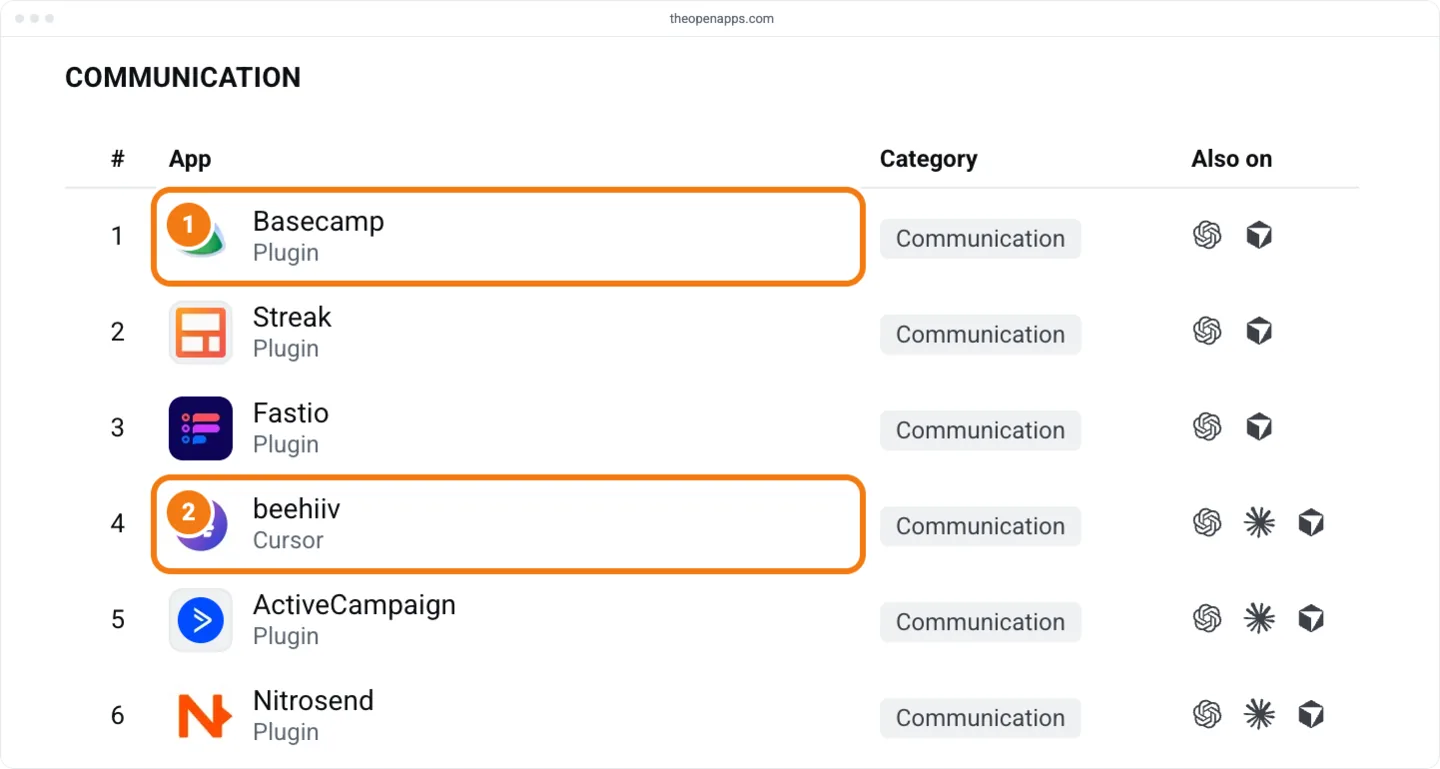
| Communication | Inbox & collaboration, Scheduling | 30 | 3 | Basecamp | Sep 23 |
| Sales | Sales | 23 | 7 | Landbase | Oct 6 |
| Design | Design, Canvas | 19 | 7 | Framer | Oct 6 |
| Research | Research | 12 | 4 | Fullenrich | Sep 8 |
| Support | Customer support | 2 | 0 | Intercom | No #5 |
| No shelf | Agent orchestration, Marketing, Featured, or none | 45% of plugins | 59 | No list | No list |
40% of Grok Bot plugins have no Cursor category at all. Another 5% have only categories that match no Grok Bot shelf: Agent orchestration (17 plugins), Marketing (4) and Featured (1). In our data, 10 plugins sit on a shelf their category doesn't explain, among them Slack on Communication and Context7 on Research. 7 of those 10 have no category that matches any shelf.
New plugins are less likely to sit on a shelf than older ones:
| Grok Bot plugins | On a shelf |
|---|---|
| Store date in the last 4 weeks | 39% |
| Older | 59% |
| All | 55% |
A listing's category can change after launch. beehiiv, BulkPublish and Shop each got a category between a few days and a few weeks after going public, and beehiiv and Shop then joined a shelf. On Oct 22, Crustdata's category went from Research to Sales, which moved it to the Sales shelf. On Oct 23, Brevo, Klaviyo and MailerLite went from Inbox & collaboration to Marketing, which took all three off Communication (33 plugins down to 30) and MailerLite off Support too. That is 7 changes since Oct 14, so read them as examples, not a rate.
In our data, the category field in your plugin.json doesn't decide the shelf. Cursor's plugin schema calls it a field for marketplace classification, but a listing's Cursor category doesn't follow it. ClickFunnels sets productivity in its manifest and has no Cursor category, so it sits on no shelf. Docker sets none and has Infrastructure, which puts it on Code. GrowthBook sets developer-tools and has Data & analytics.
No Cursor page we have found says who sets a listing's category. Cursor's publisher terms say Anysphere, the company behind Cursor, decides a plugin's placement and promotion without the publisher's consent (Cursor's Marketplace Publisher Terms), so a category request may be refused. To aim for a shelf after launch:
- Check the shelf. Open the plugin's Grok Bot listing on OpenApps, as in step 8 above, and read Category under Details.
- Ask for a category that maps to a shelf, if it has none. Write to marketplace-publishing@cursor.com, the marketplace address Cursor staff give on the forum, and ask for the Cursor category whose shelf fits, using the shelves table above. Your plugin may already have a category that maps to no shelf, such as Marketing or Agent orchestration, so name the one you want. This is a request, not a documented step.
- Check the shelf again later. A category can change after launch, as the moves above show, and a change can take the plugin off its shelf.
How to write a Cursor plugin listing people find covers the words search matches.
In our data, each shelf lists plugins by store date, newest first. A plugin that goes public soon after its store date starts at or near #1 and moves down as newer ones arrive. A plugin that goes public long after its store date, or gets its category late, enters lower: beehiiv joined Communication at #4. A quiet shelf keeps a plugin near the top longer. On Oct 25, Code had added 3 plugins in 4 weeks, and its #5 had a store date of Sep 18. Productivity had added 5, and its #5 dated from Oct 7.
Where does a new plugin rank in popularity?
A new plugin starts in the bottom half of OpenApps' Popular chart for Grok Bot, an order we can't see the app show its users. On Oct 25, 2026, none of the 27 plugins added from Oct 15 to Oct 24 ranked above #252, and their median position was #408. The top 25 were the same 25 plugins as on Oct 14, led by Gmail, Figma and Notion, and Cursor publishes 12 of them.
We have not found a page that says what this order measures. Cursor staff said on Oct 18 that Grok Bot's marketplace offers no sorting (thread on sorting).
| # | Plugin | Publisher | On Oct 14 |
|---|---|---|---|
| 1 | Gmail | Cursor | #1 |
| 2 | Figma | Figma | #2 |
| 3 | Notion | Notion | #3 |
| 4 | Google Drive | Cursor | #4 |
| 5 | Google Calendar | Cursor | #5 |
| 6 | Outlook | Cursor | #9 |
| 7 | Slack | Slack | #6 |
| 8 | Datadog | Datadog | #7 |
| 9 | X | Cursor | #11 |
| 10 | Atlassian | Atlassian | #8 |
Cursor publishes 5 of the top 10. Of the traits we compared, a verified publisher sets the top 25 apart the most.
| Plugins with | Top 25 | All Grok Bot plugins |
|---|---|---|
| A verified publisher | 24 (96%) | 48% |
| Cursor as publisher | 12 (48%) | 22% |
| A listing on ChatGPT or Claude | 18 (72%) | 73% |
We have found no Cursor page that says how a publisher becomes verified, and the chart doesn't show what moves a plugin up. For a launch, count on search and on the top of your shelf, not on OpenApps' Popular chart for Grok Bot.
Can your team use a plugin before it's listed?
A team can share its own MCP server in Grok Bot without a public listing, through a Team Bot. SpaceXAI's Team Bots docs cover the setup. The Add custom button names come from Cursor staff (Oct 1, thread on sharing a custom MCP).
- Make a team copy of your Bot. In the Grok Bot desktop app, open the Bot's Share menu and choose Publish to Team. The Bot makes a separate team copy and puts it in the sidebar; your own Bot stays as it was.
- Add the server to the team copy. In the copy's details, open Plugins under Setup, choose Add plugins, then Add custom, and enter the server's URL or command. Choose Remote HTTPS for a server that needs a key or other secret.
- Publish the copy. When setup is done, choose Publish to team. Teammates can't see the copy until you do.
- Have each teammate add it. After you publish, choose Copy link and send it, or have teammates find the Bot under New chat, then Team Bots, and choose Add, then Start a chat (SpaceXAI's Team Bots docs). Everyone who uses the Team Bot gets the server. If the server signs in with an account, each teammate connects their own the first time.
Host a shared server at a URL. SpaceXAI's Team Bots docs say a command server that needs a secret or environment variables works only in the owner's own chat. A command that runs from files on your Bot's computer won't work in teammates' chats either, because those files aren't there, Cursor staff said on Oct 1.
On a Team Bot, how a plugin signs in decides whose access it uses. A plugin configured with a key or token uses the Bot's one credential for every teammate. A plugin that signs in with OAuth uses the account of the teammate talking to the Bot (SpaceXAI's Team Bots docs). So give a Team Bot only a key you're happy for the whole team to use.
A Cursor team marketplace may also carry a team's own plugin into Grok Bot. Cursor's Grok Bot team docs say members find the connectors their Team Marketplace permits under Connect apps, but no page we have found says a private plugin repository shows there. Admins can add a private plugin repository as a team marketplace: one on the Teams plan, any number on Enterprise (Cursor's plugin docs). Admins allow plugins and connectors on the dashboard's Plugins & MCPs page, and a blocked one shows as Disabled by team admin. Try a private plugin with one member before you roll it out.
For your own use, an MCP server needs no listing. Add it to a Bot as in step 2 above. A server a Bot adds is saved to your own account, so only you can use it, Cursor staff said on Oct 1. Composio's guide to adding MCP servers to Grok Bot adds that a server in Cursor's own mcp.json doesn't carry over to Grok Bot, so add it again.
What our data can't tell you
- Submissions and rejections. We see listings, not the forms behind them: no plugin in review, no rejection, and no sign of whether SpaceXAI's form and Cursor's share one queue. We can't see who Cursor accepts or why, so plan for a refusal that comes with no reason. The couple of weeks for review is a staff estimate, not a documented time.
- The signed-in app. Our data shows the listings any Grok Bot user can add, not what one person or team sees. A team's connector policy can hide a listed plugin from its members, and any part of Connect apps that differs by person is outside our data. Check your plugin in the app with a real account.
- Sign-in and keys. The OAuth points rest on Cursor staff answers and Cursor's client document. For a key plugin that won't authenticate, SpaceXAI's troubleshooting docs say only to check for a value an admin sets. The Edit Values path for API keys rests on Cursor staff answers about the GitHub plugin, since replaced (forum thread 170898), and the Add custom button names on another answer (forum thread 173538). SpaceXAI's Team Bots docs cover custom servers and keys on a Team Bot, but not those two paths, so both can change without notice.
- How shelves are set. No SpaceXAI or Cursor page we have found documents the shelf list, the categories behind it, the order within a shelf, the 10 plugins whose shelf doesn't follow their category, or who sets a listing's category. Since Oct 14, changes to listings' Cursor categories have moved 6 plugins onto, off or between shelves, and a shelf Grok Bot adds or changes could move yours too.
- What moves OpenApps' Popular chart for Grok Bot. We have found no page that says what its order measures, and we can't see whether Grok Bot shows it to its users. The publisher numbers show correlation, not cause.
- Rules we can't see. Our data explains the two Cursor Marketplace plugins missing from Grok Bot, but a rule we can't see could keep other kinds of plugin out.
- A short window. The same-day result covers the 27 plugins added from Oct 15 to Oct 24. A longer history could show exceptions.
Check its Grok Bot shelf on OpenApps, as in step 8. If it has none, ask Cursor for a category that maps to one: in our data, a category is what puts most plugins on a Grok Bot shelf.