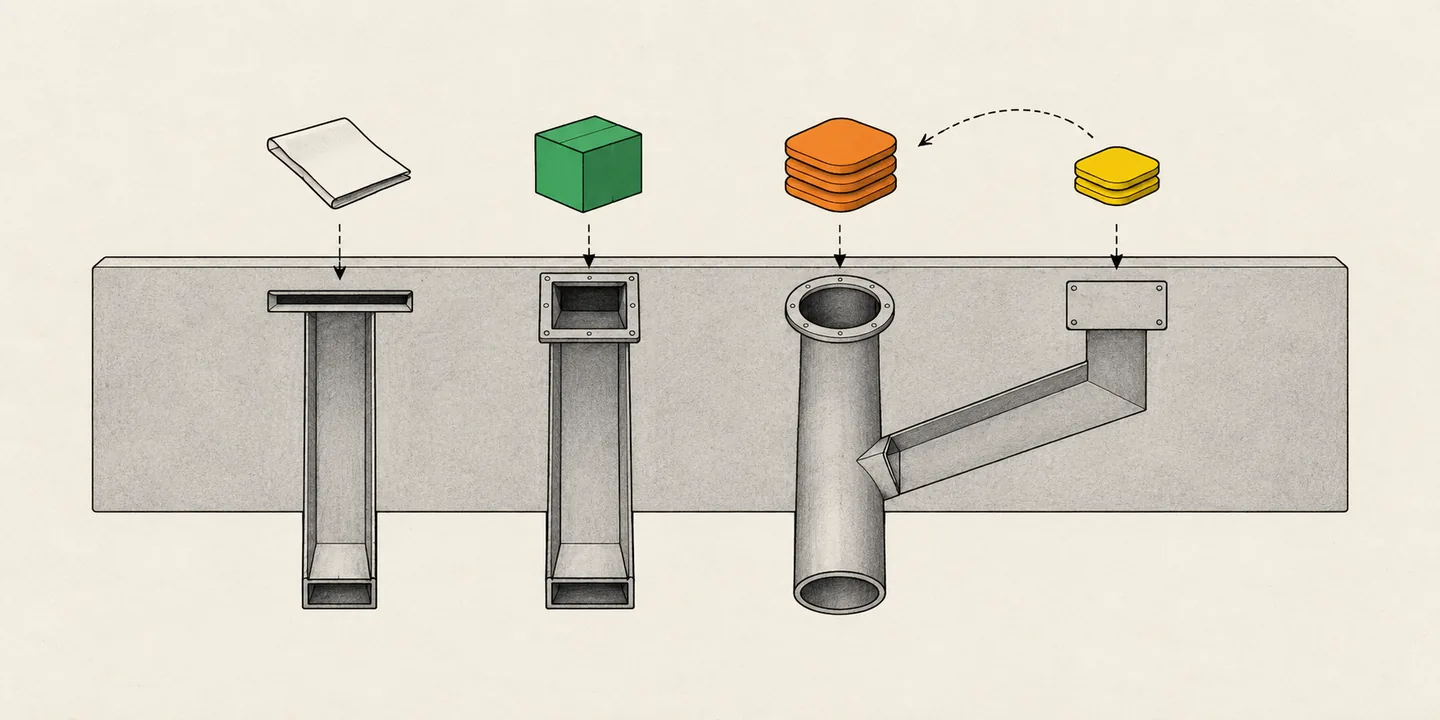
What does each store accept?
ChatGPT takes a plugin ZIP that wraps a remote MCP server, skills or both. Claude takes a connector (the server's URL) or a plugin bundle from GitHub. Cursor takes a public Git repository with a .cursor-plugin/ manifest. Grok Bot has no package of its own. In our data every Grok Bot plugin is a Cursor Marketplace plugin, so a Cursor submission has so far reached both. SpaceXAI (formerly xAI) also runs its own form, which lists Grok Bot and Cursor as destinations.
The store rules in the table come from each store's docs, linked in the sections below. The Wait, OpenApps data row and the Grok Bot column's link to Cursor come from our data.
| ChatGPT | Claude | Cursor | Grok Bot | |
|---|---|---|---|---|
| What you submit | A plugin ZIP with plugin.json at the root, holding one remote MCP server, skills, or both | An MCP connector (the server's URL), or a plugin bundle: a GitHub folder with .claude-plugin/. Skills go only inside a plugin | A public Git repository with .cursor-plugin/ or a root plugin.json, and the server in mcp.json | A Cursor Marketplace plugin, in our data. SpaceXAI's form also takes an MCP server URL or a public GitHub repository |
| Who can submit | An owner of a verified OpenAI organization, or a member with Apps Management Write | A Pro or Max subscriber, a Team or Enterprise Owner, or an Enterprise member with the Directory permission | A publisher Cursor accepts after checking its identity and business; for now Cursor works with a small group of trusted partners. Everyone else: Should you use cursor.directory instead? | Whoever Cursor lists; SpaceXAI's form asks for an organization |
| Where | The Plugins page on platform.openai.com | The directory portal on claude.ai | The publish form on cursor.com | Cursor's form, or SpaceXAI's plugin form on x.ai |
| Review | Automated checks, then OpenAI's review team | Plugins: validation, a security scan and a person's review of a new listing. Connectors: an automatic scan, then a Community listing by default | Manual review of every plugin and every update | Not stated; SpaceXAI's form says submissions are reviewed |
| Store's checklist | OpenAI's app review page | The plugin checklist or the connector checklist | The submission checklist in Cursor's plugin reference | None found; SpaceXAI's form asks you to confirm you tested the plugin locally and in-app |
| Wait, per the docs | No time stated | Not fixed | No time stated | No time stated |
| Wait, OpenApps data | A median launch lag of 14.9 days from the app's id to going live, for Apps SDK apps that went live Oct 11 to Oct 24 | Plugins arrive in batches: 357 of the 366 that went live Oct 12 to Oct 24 carry a store date on 4 days | Data is not available | 27 of 27 Cursor Marketplace plugins added Oct 15 to Oct 24 appeared the same day |
| Where it appears | The plugin directory in ChatGPT and Codex, in the countries you choose in the package (why country availability matters) | The directory that claude.ai, the Claude apps and Cowork share | The Cursor Marketplace | Connect apps in Grok Bot |
| Full steps | How to submit an app to the ChatGPT app directory | How to submit a plugin or connector to Claude's directory | How to publish a Cursor plugin to the marketplace | How to get a plugin into Grok Bot |
On Jul 9, 2026, ChatGPT's plugin directory replaced its app directory (ChatGPT release notes). OpenAI calls the package a plugin: it brings apps and skills together, and an app is the connection to an outside service (Plugins in ChatGPT and Codex). The app inside is still an MCP server, with an optional interface built on the Apps SDK. OpenApps calls the listing a ChatGPT app.
Claude's two kinds differ in what they carry. A connector is one remote server; a plugin is a folder of skills, commands, agents, hooks and server references. Claude's directory no longer accepts desktop extensions (Claude's directory guide). Claude connectors vs plugins vs skills explains which to build.
Can one MCP server get you into every store?
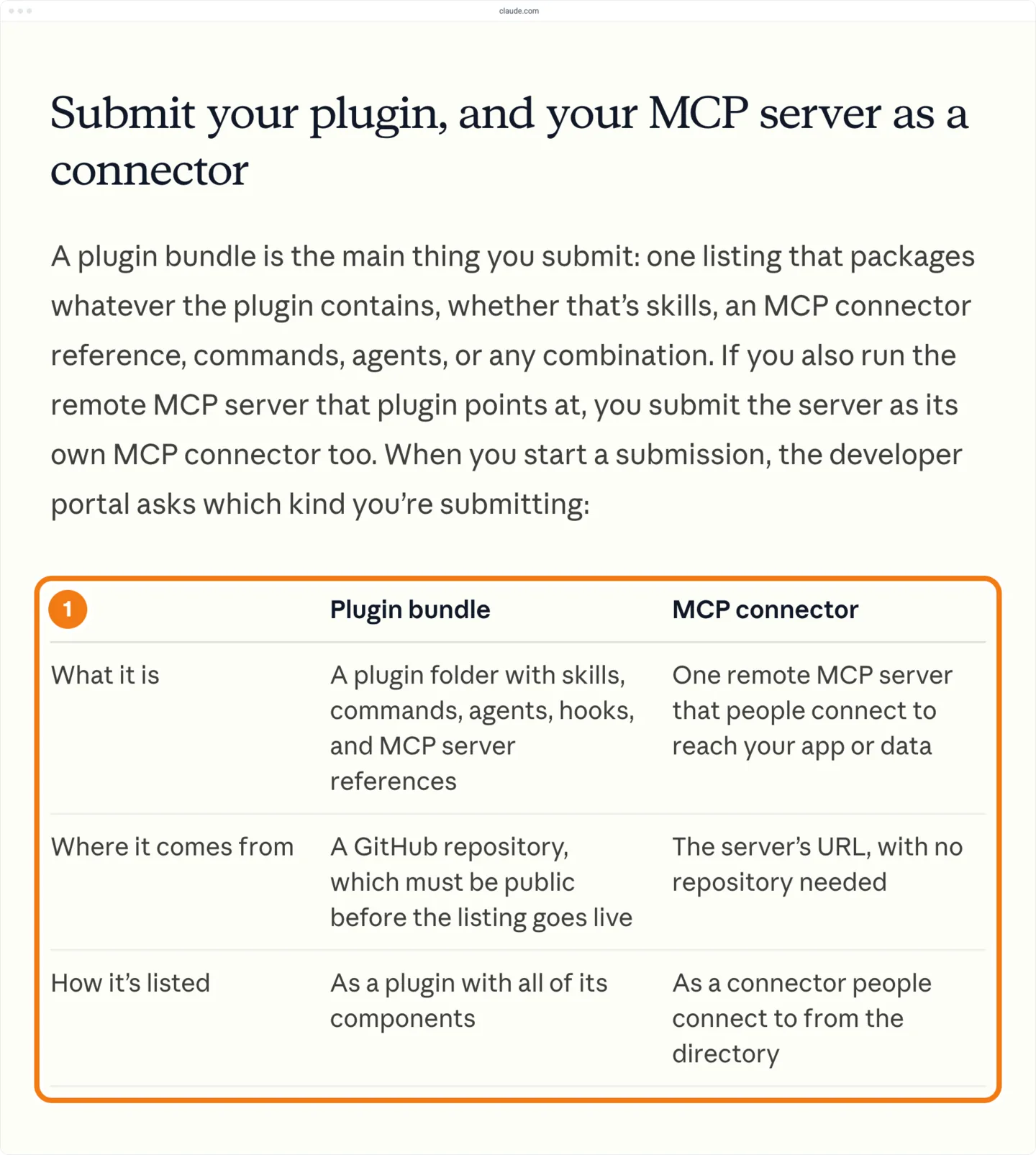
One remote MCP server can back a listing in every store, but ChatGPT, Claude and Cursor each need their own submission. A Cursor listing has reached Grok Bot too, with two exceptions.
On Claude, one app can mean two submissions. Claude's docs ask you to submit your server as a connector even when your plugin already points at it (Claude's directory guide).
Many apps are already listed in more than one store. On Oct 25, 2026, 1,194 apps were cross-store products, listed in two or more of ChatGPT (US list), Claude and Cursor (marketplace or cursor.directory). Of the apps in the Cursor Marketplace that their own maker publishes, 75% were also listed on ChatGPT or Claude. The data shows the overlap, not whether one listing helps an app get another.
| Store | Also listed on | Share of its apps |
|---|---|---|
| The Cursor Marketplace | ChatGPT or Claude | 73% |
| The Cursor Marketplace, apps their maker publishes | ChatGPT or Claude | 75% |
| Claude | ChatGPT or Cursor | 25% |
| ChatGPT (US list) | Claude or Cursor | 12% |
Who can submit, and what do you need first?
ChatGPT needs a verified OpenAI organization, and you must be its owner or a member with Apps Management Write. On Claude, you must be a Pro or Max subscriber, a Team or Enterprise Owner, or an Enterprise member with the Directory permission. Cursor checks each publisher's identity and business, and works with a small group of trusted partners for now. SpaceXAI's form for Grok Bot asks for an organization name and handle.
- What ChatGPT rejects. A ChatGPT app may sell only physical goods, not subscriptions, credits or other digital goods, and may not show plans or promote upgrades. OpenAI also rejects unofficial connectors to someone else's service, trials and demos, and apps with content unsuitable for users aged 13 to 17 (OpenAI's submission guidelines).
- A verified OpenAI organization. Every submission must come from a verified individual or organization (OpenAI's submission guidelines), and the plugin is published under the verified name (OpenAI's submission guide). Use a project with global data residency: projects with EU data residency can't submit plugins with MCP servers for now (OpenAI's app review page).
- The right Claude organization. Submit from the organization that should own the listing. For a plugin, the first organization to submit a repository folder holds that listing (Claude's directory guide), and you can't change a submission's repository and folder later (Claude's plugin submission guide). Connect GitHub on claude.ai with an account that can push to the plugin's repository. Every listing must follow the Anthropic Software Directory Policy.
- An open-source repository for Cursor. Cursor's publisher terms allow only permissive licenses, such as MIT, BSD and Apache 2.0, and require the plugin to be free. On Oct 25, 2026, every plugin in the Cursor Marketplace pointed at a github.com repository.
- A public HTTPS server. ChatGPT takes a server with no sign-in or with OAuth 2.0, and no API-key or bearer-token flow (OpenAI's submission guide). Claude takes no sign-in for public data or OAuth 2.0 (Claude's connector guide), and its OAuth client needs
https://registered as a redirect URI (Claude's connector authentication guide). Cursor also takes OAuth, or API keys that the plugin declares in itsclaude.ai/ api/ mcp/ auth_callback variables(Cursor's MCP docs, Cursor's plugin reference). - Interface settings, for a ChatGPT app with UI. Set
_meta.ui.domainand justify any iframe (OpenAI's plugin reference), and give the component a content security policy that allows the domains it fetches from (OpenAI's app review page). - Annotations on every tool. Give each tool a
title, and set its readOnlyHint, destructiveHint and openWorldHint annotations to true or false. ChatGPT asks for all three hints (OpenAI's submission guidelines). Claude asks for a title and either readOnlyHint or destructiveHint (Claude's connector guide). A tool with a title and all three hints meets both. The hints must match what the tool does: OpenAI lists a mismatch among its common rejections (OpenAI's app review page). - A test account. Fill it with sample data, and make sure it signs in without MFA, emailed or texted codes, or magic links (OpenAI's submission guide). OpenAI also rejects a plugin that needs a new sign-up (OpenAI's submission guidelines). Claude asks for a fully populated account too (Claude's connector guide).
- Listing pages and an icon. ChatGPT needs a square icon of at least 48 by 48 pixels and HTTPS URLs for a website, support, a privacy policy and terms of service (OpenAI's submission guide). Claude needs an icon, a documentation URL, a privacy policy URL and a support contact (Claude's connector guide).
How do you submit to each store?
Each store takes its own submission, in any order. The steps below are the short version; each store's post, linked after its steps, has the full one.
On ChatGPT
- Test the server in ChatGPT. On ChatGPT's Plugins page, select the plus button, then Add custom MCP server, fill in the server's URL and select Create as a plugin. The page's URL then carries the app's
plugin_asdk_appid (OpenAI's build guide). - Build the plugin package. Put
plugin.jsonat the root, with the listing fields underextensions["com.openai"].interface, the server inmcp.jsonand the logo under./(OpenAI's build guide). Take out anyassets/ appsreference and.app.jsonbefore you upload, because the portal refuses a ZIP with either (OpenAI's submission guide). - Add the review materials. Put 5 positive and 3 negative test cases in
review.test_cases, a video link inreview.demo_recording_urland this version's notes inpublication.release_notes. Setpublication.countriesonly to limit where the plugin is listed. The dashboard shows imported test cases read-only, so changing them means a new upload. - Upload the ZIP. On the Plugins page at platform.openai.com/plugins, select Upload new or existing plugin, choose your verified developer identity, then select Upload plugin and pick the ZIP.
- Connect the server. Under MCPs, select the server, then Connect, and check its URL and authentication settings. When the portal shows a token, serve it as plain text at
/on the server's host or an eligible parent domain..well-known/ openai-apps-challenge - Enter the reviewer credentials. In Metadata & Skills, open Review information, then Review details. Check the imported test cases and video, enter the test account's credentials and select Save details.
- Submit for review. Select the draft, select Submit for review and complete the policy attestations. The plugin then shows under Review status on the Plugins page.
- Publish once approved. When the approval email arrives, open the approved version and select Publish plugin.
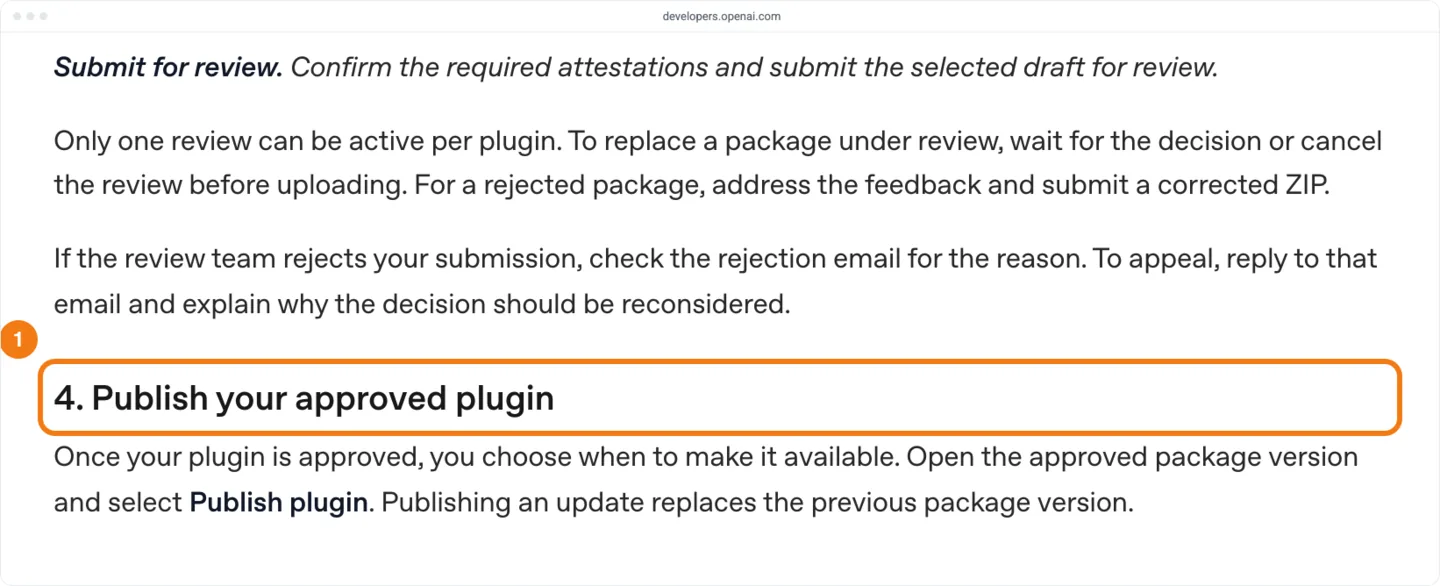
Full steps: How to submit an app to the ChatGPT app directory.
On Claude
- Test the server as a custom connector. Add it in Claude and call each tool from a conversation. The portal's Test & launch step asks you to confirm you did (Claude's connector checklist).
- Submit the server as a connector. At claude.ai/directory/manage, select Submit new, choose MCP connector and give the server's URL. Then work through the portal's steps to Review and submit (Claude's connector guide).
- Validate the plugin locally. If you also ship a plugin, run
claude plugin validate ./from the folder that holds the plugin folder.<plugin-folder> - If the repository is private, install the Claude GitHub App on it. Your GitHub account must be able to push to the repository, and you agree to the source upload. Until then, Validate reports that it can't find the repository, or that the Claude GitHub App can't reach it (Claude's plugin submission guide).
- Submit the plugin. At claude.ai/directory/manage, select Submit new, choose Plugin bundle, give the repository and select Validate, then go on to Submit for review. The status reads Scanning, then In review or Approved.
- Make a private repository public before you publish. Make it public on GitHub and select Check for new commits on the plugin's page. Until then, the page reads Publishing needs a public repository.
- Publish. When the plugin reads Approved, select Publish on its page. Approved is not live: people can install it once its status reads Published (Track your directory submission). For a connector a person reviewed, select Publish when it reads Approved.
Full steps: How to submit a plugin or connector to Claude's directory.
On Cursor and Grok Bot
- Add the manifest. In the plugin folder, add
.cursor-plugin/with a lowercase kebab-caseplugin.json name, and put the server inmcp.jsonat the plugin root (Cursor's plugin reference). - Test the plugin locally. Copy the plugin folder into its own folder under
~/, then restart Cursor or run Developer: Reload Window. Open Customize and check that the plugin's MCP servers appear (Cursor's plugin docs)..cursor/ plugins/ local/ - Push the plugin to a public Git repository (Cursor's plugin reference).
- Submit the repository. Submit it at cursor.com/marketplace/publish (Cursor's plugin docs). Signed out, the page shows only its title, so we can't see its fields or which accounts it accepts.
- Or submit through SpaceXAI's form. If you have only an MCP server, give its URL at x.ai/bot/marketplace/submit-a-plugin and select Grok Bot and Cursor under Where do you want to be listed?
- Check Grok Bot after Cursor lists the plugin. In our data, every plugin the Cursor Marketplace added from Oct 15 to Oct 24 appeared on Grok Bot the same day, with no extra step. Look for it on Grok Bot's charts.
Full steps: How to publish a Cursor plugin to the marketplace and How to get a plugin into Grok Bot.
A new ChatGPT app shows on New ChatGPT launches under the day it went live. OpenApps' New launches pages for Claude and Cursor file listings by store date and show the last 30 days. A Claude connector's store date falls a median 42.6 days before it appears, so a new connector can sit weeks down the page or fall outside it. Search for your listing by name in OpenApps search, or check the store's own directory.
To write the listing itself, see How to write a ChatGPT app listing people find, How to write a Claude connector or plugin listing people find and How to write a Cursor plugin listing people find.
What does review look like?
ChatGPT runs automated checks, and then its review team tests the plugin (OpenAI's submission guide). Claude scans every submission and has a person review each new plugin (Claude's directory guide). Cursor reviews every plugin and every update by hand (Cursor's plugin docs).
Before you can submit, ChatGPT's dashboard checks the package and the server. The review team replies by email, and a plugin can have one review open at a time (OpenAI's submission guide). OpenAI's app review page lists the common rejections: reviewers can't reach the server with the URL or test credentials, test cases don't give the expected output, tool responses carry personal data the privacy policy doesn't disclose, or annotations don't match what the tools do.
Edits to existing tools that pass OpenAI's automated checks go live with no new upload. New tools stay unavailable until OpenAI approves them. To change the server URL, contact OpenAI support. Changes to metadata, assets or skills need a new ZIP (OpenAI's submission guide).
On Claude, when you select Publish on a plugin, by default an Anthropic reviewer publishes the version (Claude's plugin submission guide).
Claude scans each connector and by default lists it as Community. Some connectors also get a person's review. Anthropic decides which connectors get the Verified label, and there is no application for it (Claude's directory guide).
88% of the Claude plugins listed on Oct 25, 2026 carry the community tier and a review state of none; the other 12% are partner or Anthropic tier with review done. Of the 366 plugins that went live Oct 12 to Oct 24, 361 are community tier and 5 partner tier, so expect a new plugin to carry the community tier.
none, and so do 361 of the 366 that went live Oct 12 to Oct 24. Source: OpenApps data, Oct 25, 2026. | Tier and review state | Share of plugins listed | Went live Oct 12 to Oct 24 |
|---|---|---|
Community, none | 88% | 361 |
Partner or Anthropic, done | 12% | 5 |
Plugins in the Cursor Marketplace don't update from the repository on their own (Cursor's marketplace security page). Cursor's publisher terms add that it may accept or reject a plugin without saying why.
Cursor's security page says it plans to open the marketplace more broadly as its vetting matures. For now, Cursor publishes some of the marketplace itself: on Oct 25, 2026, it was the publisher of 22% of the plugins. Cursor's docs send community plugins and MCP servers to cursor.directory, a separate site (Cursor's plugin docs). Should you use cursor.directory instead? compares the two routes and how fast each lists a plugin.
If a submission stalls, reply to the ChatGPT review team's email. On Claude, use Get help in the portal, or write to directory@anthropic.com for a plugin and mcp-review@anthropic.com for a connector (Track your directory submission). Cursor's docs give no contact, and its form has no status page; Cursor staff on its forum point builders to marketplace-publishing@cursor.com (How long does Cursor's review take?).
How long until a new listing shows up?
No store states a review time, and Claude's docs say it isn't fixed (Claude's directory guide). On ChatGPT, the 2,758 Apps SDK apps that went live Oct 11 to Oct 24, 2026 took a median 14.9 days from the day their id was created.
ChatGPT is the only store where we can measure a wait, because each ChatGPT app's id carries the day it was created. The gap from that day to the day the app went live is its launch lag. The figures here count only Apps SDK apps, whose plugin_asdk_app id ChatGPT issues when you select Add custom MCP server and Create as a plugin (OpenAI's build guide). If a listing keeps that id, the lag includes your own testing as well as review and the wait before you select Publish.
How long does ChatGPT app review take? has the full spread, the median for each category, and why our Oct 13 pages print a median of 32.5 days.
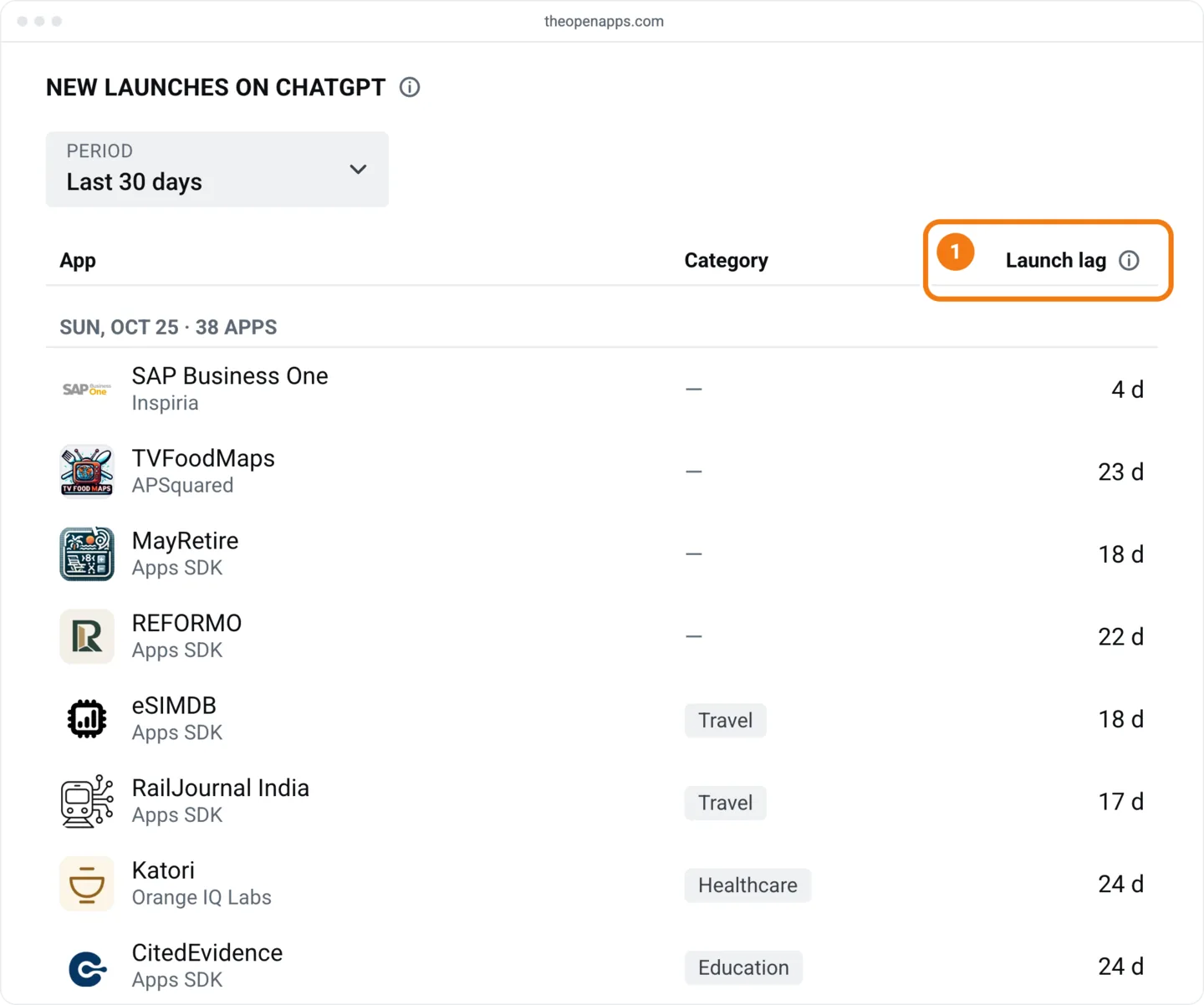
Claude and Cursor give each listing a launch date, which we call its store date. For plugins, the store date usually falls on the day the plugin went live: all 366 Claude plugins that went live Oct 12 to Oct 24 did so within a day of their store date, as did 40 of the 49 Cursor plugins (82%). So a store date says when a plugin appeared, not how long its review took.
Does Grok Bot need its own submission?
Grok Bot doesn't need a separate submission: in our data, a plugin accepted into the Cursor Marketplace reaches Grok Bot, and SpaceXAI's own form is a second way in. On Oct 25, 2026, every Grok Bot plugin had the same id and store date as a Cursor Marketplace plugin, and 99.6% of Cursor Marketplace plugins were on Grok Bot. Look for yours on Grok Bot's charts, which list the same plugins as Cursor's.
SpaceXAI's docs say apps are installed as plugins from Connect apps (Grok Bot apps), but no SpaceXAI page we have found names the Cursor Marketplace as their source. The listings show it.
| Grok Bot and the Cursor Marketplace | Oct 25, 2026 |
|---|---|
| Grok Bot plugins that are Cursor Marketplace plugins | 100% |
| Cursor Marketplace plugins on Grok Bot | 99.6% |
| Plugins added to the Cursor Marketplace from Oct 15 to Oct 24 that appeared on Grok Bot the same day | 27 of 27 |
GitHub and 1Password are the only Cursor Marketplace plugins missing from Grok Bot. How to get a plugin into Grok Bot explains why both are missing, and has the steps, the sign-in points and the shelves.
SpaceXAI's plugin form takes an MCP server URL or a public GitHub repository, and by submitting it you accept Cursor's Marketplace Publisher Terms. The form says submissions are reviewed without saying by whom, and we can't see whether that review differs from Cursor's. How do you submit a plugin for Grok Bot? shows the form's Where do you want to be listed? question and compares its fields with Cursor's form.
A cursor.directory listing doesn't reach Grok Bot: none of Grok Bot's plugins comes from there. A server you add in Grok as a custom connector (SpaceXAI's connector docs) isn't a Grok Bot listing either, and SpaceXAI's Grok Build plugin catalog is a separate list for Grok Build.
How many new listings does each store add?
From Oct 12 to Oct 24, 2,958 ChatGPT apps went live, counting every id family and not only Apps SDK apps, against 366 Claude plugins, 76 Claude connectors and 49 Cursor plugins. On a median day in that window, 221 ChatGPT apps went live, against 3 Cursor plugins, so a new ChatGPT app shares its day on New launches with about 220 others.
| Store and kind | Went live, Oct 12 to Oct 24 | Median a day |
|---|---|---|
| ChatGPT apps | 2,958 | 221 |
| Claude plugins | 366 | 2 |
| Claude connectors | 76 | 5 |
| Cursor plugins | 49 | 3 |
Claude takes plugins in batches. 357 of the 366 plugins that went live Oct 12 to Oct 24 (98%) carry a store date on 4 days: Oct 13, 15, 16 and 18. By store date, Claude added 1,874 plugins in the 3 weeks from Sep 28, against a median of 34.5 a week in the 8 weeks to Sep 20. The data shows when the plugins arrived, not why.
The Cursor Marketplace held steady at a median 26 plugins a week over the 8 weeks to Oct 18. Each store's current size is on Stats.
Claude plugins, peak 887 a week
Cursor Marketplace plugins, peak 45 a week
| Week of | Claude plugins | Cursor Marketplace plugins |
|---|---|---|
| Aug 24 | 53 | 45 |
| Aug 31 | 46 | 27 |
| Sep 7 | 36 | 23 |
| Sep 14 | 45 | 21 |
| Sep 21 | 33 | 25 |
| Sep 28 | 887 | 24 |
| Oct 5 | 626 | 27 |
| Oct 12 | 361 | 32 |
What our data can't tell you
- When you submitted. No store shows a submission date, so we can't measure review time in any store.
- Which step starts the ChatGPT clock. We can't see which step created a given app's id, so we can't say how much of the 14.9 days is your own testing and how much is review.
- Rejections and queues. We can't see rejected apps, apps in review, or apps approved but not yet published. The medians describe apps that made it, not your odds of making it.
- Apps still waiting. The launch lag counts apps that went live in the window, so apps still waiting are left out (right-censoring) and long waits are under-represented. Treat 14.9 days as a typical wait, not a ceiling.
- Weeks before Oct 9. The weekly counts for Claude and Cursor before Oct 9 include only plugins still listed on Oct 9, so the jump from Sep 28 may be smaller than it looks.
- Claude connector dates. A connector's store date comes a median 42.6 days before it appears (72 connectors). We have not found what that date marks, so we print no connector wait.
- Claude's connector labels. Claude's docs say connectors are listed as Community by default, but none of the connectors listed on Oct 25, 2026 carries the community tier. We don't know how the two labels map.
- Claude's review field. Claude's docs don't say what a review state of
nonemeans. We print it as the store writes it, so don't take it as a sign that a plugin skipped review. - Whether a Cursor listing reaches Grok Bot. No SpaceXAI page we have found promises it, and two Cursor Marketplace plugins are missing from Grok Bot, so we can't promise that yours will appear there.
Add your server to ChatGPT with Add custom MCP server at least a month before any date you announce: 187 of the 2,758 Apps SDK apps that went live Oct 11 to Oct 24 had a launch lag of 30 days or more. OpenAI lets you choose when to publish (OpenAI's submission guide), so once the plugin is approved, select Publish plugin on the day you announce. OpenAI asks you to contact press@openai.com before any press release or public announcement (OpenAI's app review page). Announce a Claude listing once its status reads Published (Track your directory submission), and a Cursor plugin once it shows in the Cursor Marketplace, not when the approval arrives.